Digging more into their particular tale of woe, it started to become clear that perhaps now things have moved on enough for them to start seriously reconsidering the use of VR training within their business. Here’s what we found out:
Management of kit
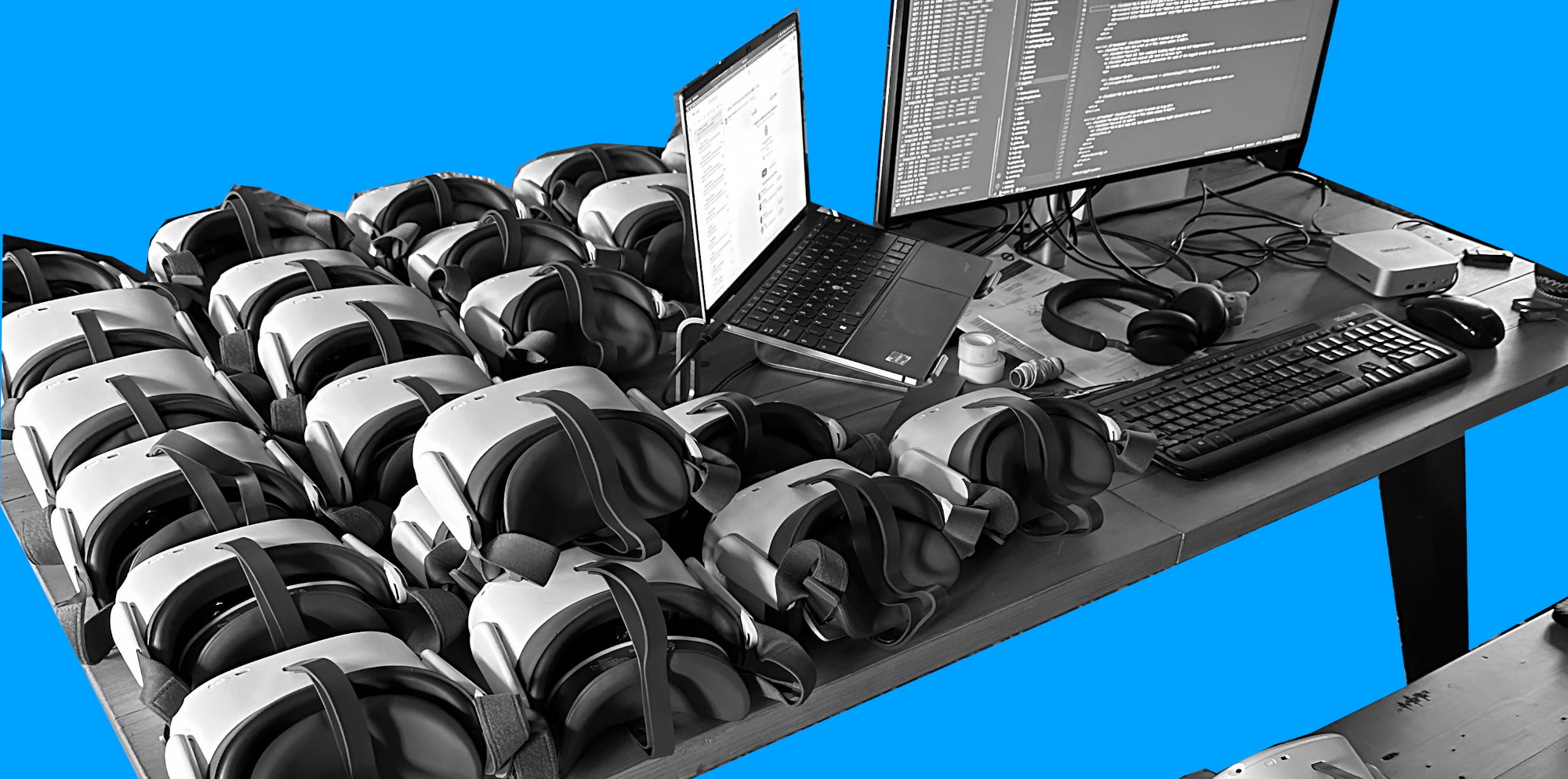
Perhaps the biggest hurdle the client had tripped on was the management of the kit. They had decided to go for tethered headsets connected to laptops. Before long, the various cables and other associated peripherals had started to go missing, leading to serious difficulties keeping rigs up and running. Tethered headsets clearly rely on PCs to drive them, and if the PC was out of action, then no VR. Additionally, tethered setups (especially back then) required quite a bit of setup in order to work correctly. All this additional management overhead was basically choking the delivery of the main training objective. After all, why spend thirty minutes doing a training module in VR when it takes two hours to find all the kit and get it up and running?
Of course, now we wouldn’t ever recommend tethered headsets for this sort of use. All-in-one, self-contained units such as the Pico 4 Enterprise or Meta Quest 3 have become the de facto kit for large-scale deployments. They can be managed by corporate IT in the same way as mobile phones and tablets, they can be much more easily transported in bulk, and many have built-in hand tracking, which can remove the need for hand controllers and other peripheral devices that can go missing or simply run out of battery at an inopportune time. All-in-one headsets can generally be charged within a couple of hours, locked into kiosk mode (more later), and represent a much more consistent and far easier end-user experience, freeing the user to learn rather than mess around with technology.
It’s also important to note that all-in-one headsets are much more cost-effective than a tethered solution, even when factoring in the cost of an MDM subscription (more on this below). The overall repairability of the devices has also been getting better, with ‘right to repair’ legislation now in place across Europe and large parts of the US.
Distribution of content
Another big issue discussed was the distribution of content and updates. Whilst sending updates and new content to a laptop would depend on the type of LMS they were using (which they didn’t elaborate on), it’s clear that this was an admin-heavy and error-prone experience for them. You can easily imagine scenarios where the VR rigs would have old content or not have the required content at all, leading to support desk tickets, angry users, and a frustrated training development team.
Whilst there are now many VR-specific training platforms in place for all-in-one headsets, the overall picture is much simpler than it would have been back then. Corporate-focused Mobile Device Management systems (MDMs), such as ManageXR and ArborXR, make managing content and apps on VR headsets a pretty quick and easy process. Content management access can be delegated to training teams, who can upload new training modules and experiences themselves. And if using a VR or XR training platform, the learning team can avoid having to use an MDM at all, leaving that to the IT teams, and instead push their content via the VR LMS.
All that is required is the process of making sure the headsets are fully charged and regularly connected to the internet so that they can receive their updates. MDMs are able to generate detailed reports on which headsets are up to date, when they last checked in and were online, and even some general aspects of device health - allowing IT and learning teams to keep an eye on what’s actually happening with the kit once it’s out in the field. Using these tools, it’s possible to keep on top of large fleets of headsets in a way that simply wouldn’t have been possible with their previous setup.
User adoption
The last significant issue they faced was one of user adoption. Their workforce (or at least the ones the training was aimed at) consisted of older and less tech-savvy individuals. This came with a certain degree of natural pushback and scepticism. That, coupled with the other issues we’ve already discussed, was a recipe for large-scale user rejection, and any IT project manager knows that this is often the kiss of death for your project.
Back in 2019, the rules for how to effectively deliver this sort of content were still being written, and end-user experiences varied wildly. It wasn’t uncommon even then to see users complaining of motion sickness because developers were doing unwise things with the virtual camera inside the experience, or because the kit was badly configured. These days, the rules are much clearer and better followed, the kit itself is much better, and motion sickness is now something that typically only affects a small subset of users (i.e. typically those who would also have issues with other forms of screen-based content such as video games).
Being able to put devices into kiosk mode (where you turn them on and they launch directly into the desired content automatically) reduces the need for users to mess around with device settings and menus and dramatically simplifies the overall experience, reducing any stress and anxiety that comes with using a new (to them) technology. Similarly, the use of hand tracking and gaze controls enables more natural-feeling user interfaces and reduces the need to learn hand controllers and which buttons do what.
But apart from that, having a good troubleshooting process that is clear and easy to access also does wonders and is very easy to accomplish. In my experience, simply printing out a sheet of the ‘top 5’ problems and how to fix them in a colourful and inviting graphic form, and distributing it with every headset, can sometimes reduce support tickets and user failure by 80%+.
In summary
This was a great conversation, and for me it was like taking a journey back to the past and seeing how far things have come. For their part, I think the client came away with some fresh perspectives and an interest in looking again at VR training.
If you’ve tried VR training in the past and have been met with some or all of these issues, then perhaps you might find that it’s a good time to look again. The industry has worked hard to solve many of these problems, and the experience for users and training teams alike is a much better one.
If you’re starting out on this journey again (or maybe taking the plunge for the first time), then be sure to talk to those who’ve had experience in successful deliveries and who have been able to navigate the pitfalls like those mentioned above.